CopilotHub
SearchPromptsInstructionsAgentsToolsMCPs
  1. Home
  2. Instructions
  3. Code Components for Model-Driven Apps
Back to Instructions

Code Components for Model-Driven Apps

**Important**: Power Apps component framework is enabled for model-driven apps by default. See [Code components for canvas apps](https://learn.microsoft.com/en-us/power-apps/developer/component-framework/component-framework-for-canvas-apps) to learn how to enable Power Apps component framework for canvas apps.

typescript
0 downloads
33 views
0

Related Instructions

View all →

API Route Security

app/api/**/*.ts

Security best practices for Next.js API routes

typescript
nextjs
security
api
+2
0
113

TypeScript Error Handling

*.ts

Comprehensive error handling patterns for TypeScript applications

typescript
typescript
error-handling
+1
0
101

React Component Best Practices

*.tsx

Guidelines for creating maintainable and performant React components

typescript
react
react
typescript
+2
0
116

WordPress Development — Copilot Instructions

Coding standards for wordpress.instructions

typescript
testing
security
+5
1
185

VueJS 3 Development Instructions

Coding standards for vuejs3.instructions

typescript
react
testing
security
+6
0
157

TypeScript MCP Server Development

Coding standards for typescript mcp server.instructions

typescript
express
testing
security
+5
0
126
Browse More Instructions

CopilotHub

A curated collection of prompts, instructions, agents, and tools for AI-powered development.

Quick Links

  • Prompts
  • Instructions
  • Agents
  • Tools
  • MCPs
  • Search

Browse by Category

  • Code Generation
  • Debugging
  • Documentation
  • Refactoring
  • Testing
  • Security

Legal

  • Guidelines
  • About
  • Privacy Policy
  • Terms of Service

Community

GitHub

© 2026 CopilotHub.

Code Components for Model-Driven Apps

Power Apps component framework gives developers the ability to extend the visualizations in model-driven apps. Professional developers can create, debug, import, and add code components to model-driven apps using Microsoft Power Platform CLI.

Component Usage

You can add code components to:

  • Columns
  • Grids
  • Sub grids

in model-driven apps.

Important: Power Apps component framework is enabled for model-driven apps by default. See Code components for canvas apps to learn how to enable Power Apps component framework for canvas apps.

Implementing Code Components

Before you start creating code components, make sure that you have installed all the prerequisites that are required to develop components using Power Apps component framework.

The create your first code component article demonstrates the step-by-step process to create code components.

Add Code Components to Model-Driven Apps

To add code components to a column or a table in model-driven apps, see Add code components to model-driven apps.

Examples

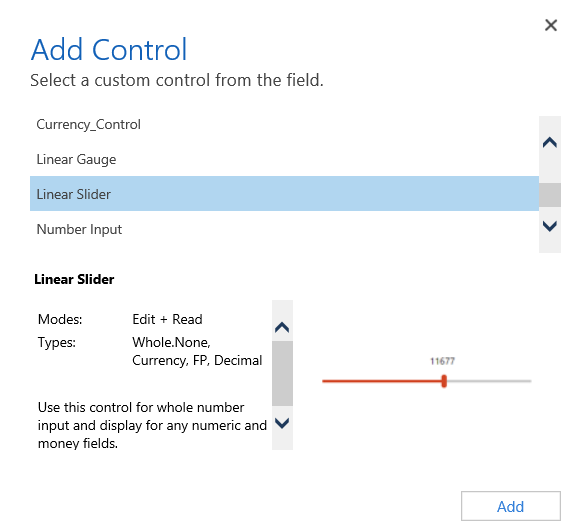
Linear Slider Control:

Add linear slider control

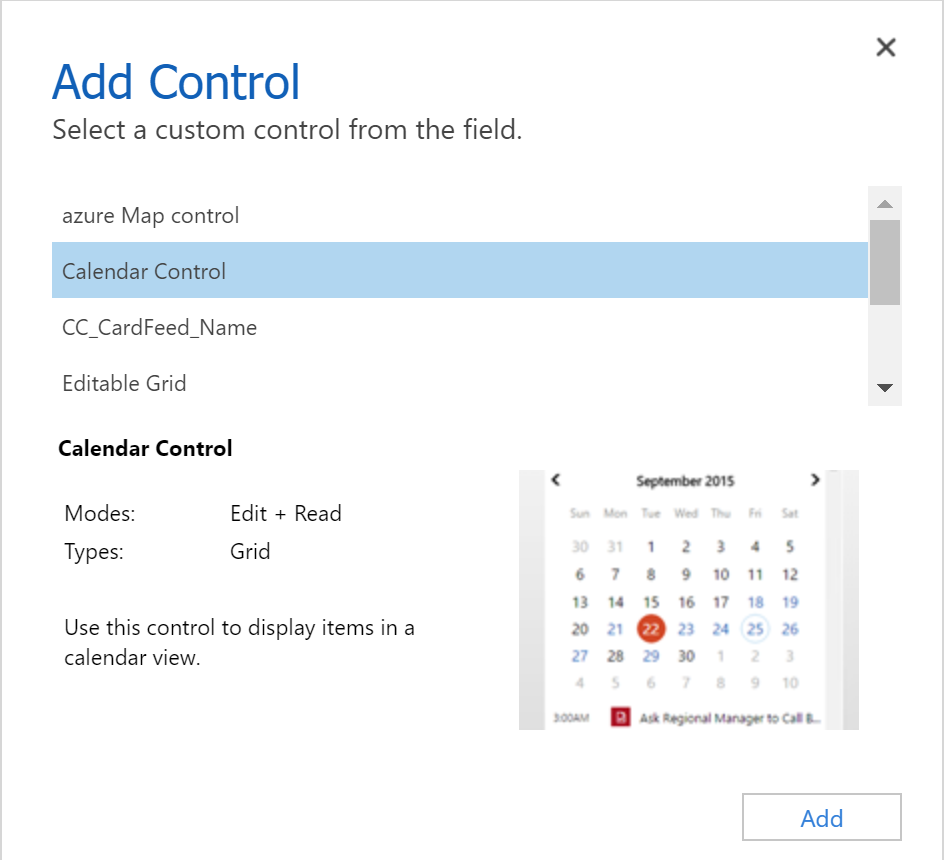
Data Set Grid Component:

Data Set Grid component

Update Existing Code Components

Whenever you update the code components and want to see the changes in runtime, you need to bump the version property in the manifest file.

Best Practice: It is recommended to always bump the version of the component whenever you make changes.

See Also

  • Power Apps component framework overview
  • Create your first code component
  • Learn Power Apps component framework